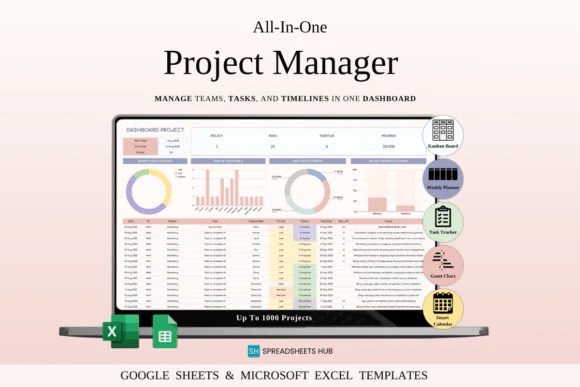
Organize projects, manage tasks, track deadlines, and improve team productivity with this Project Management Spreadsheet Template for Google Sheets and Microsoft Excel. This powerful yet easy-to-use spreadsheet is designed to help project managers, team leaders, freelancers, small businesses, entrepreneurs, and productivity-focused individuals manage projects in one clear and structured system.
Instead of using complicated project management software, this spreadsheet gives you a practical and visual way to plan tasks, assign responsibilities, monitor timelines, view progress, manage weekly goals, and track upcoming deadlines. Whether you are handling client projects, internal business tasks, content planning, team workflows, product launches, service delivery, or personal projects, this template helps you stay organized from start to finish.
The template includes task management, project snapshots, Kanban workflow, Gantt timeline, weekly organizer, dynamic calendar, visual analytics, team assignments, automation formulas, and custom views. It allows you to see your project progress at a glance, identify pending work, manage workload, and keep every task connected to the right person, deadline, and priority.
Compatible with both Google Sheets and Microsoft Excel, this project management template is flexible, editable, and suitable for online or offline use.
What You Can Use This Template For
Use this project management spreadsheet to:
Key FeaturesProject Management Dashboard
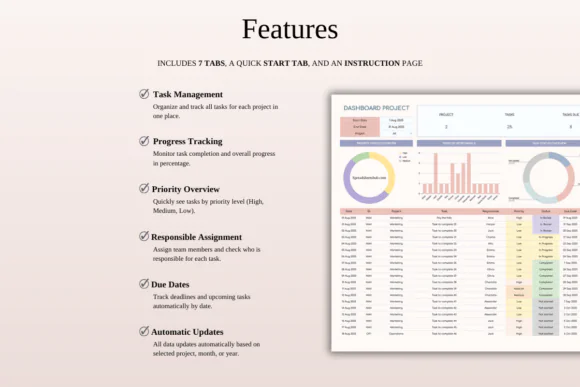
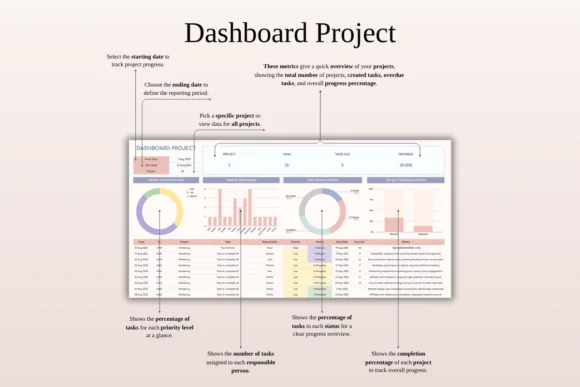
View your project progress, upcoming deadlines, milestone status, task completion, and overall workflow in one clear dashboard.
Task Management System
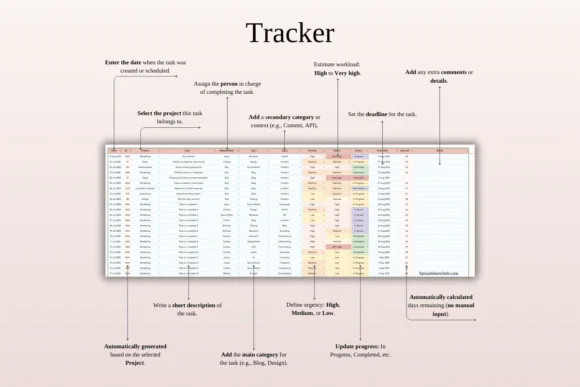
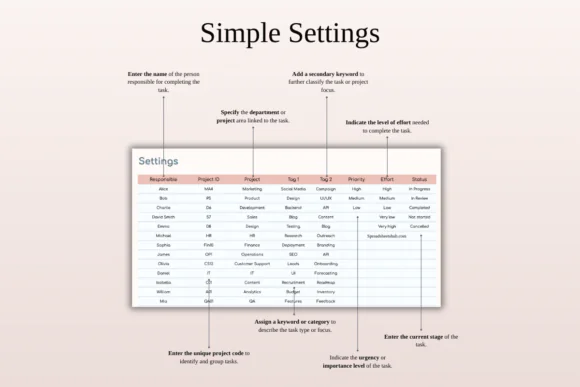
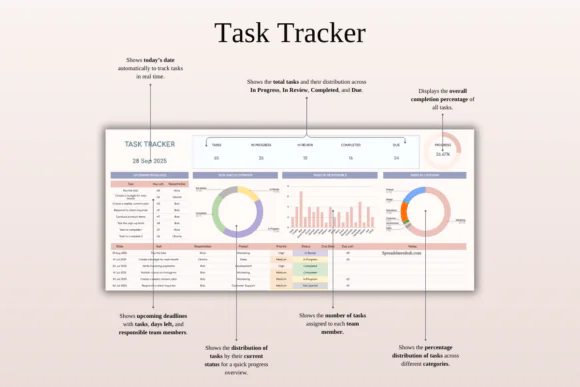
Plan, delegate, and track tasks across different projects. Add task details, deadlines, priorities, team members, tags, and notes to keep everything organized.
Kanban Workflow Board
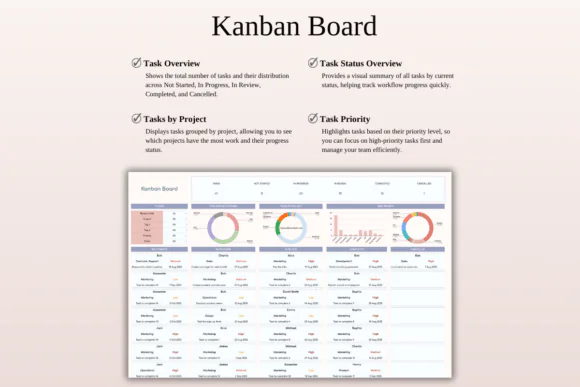
Organize tasks visually using workflow stages such as Not Started, In Progress, In Review, Completed, or Cancelled. This helps you quickly understand where each task stands.
Gantt Timeline View
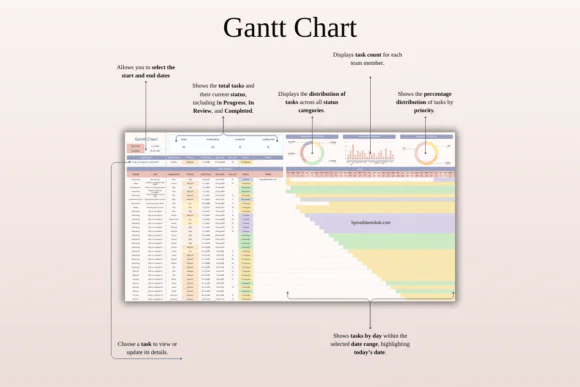
Map out schedules, timelines, and dependencies with a clear Gantt-style project view. This is useful for planning project phases and tracking progress over time.
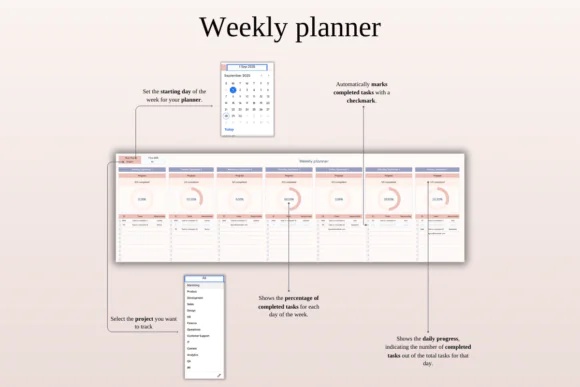
Weekly Organizer
Break larger goals into weekly plans and daily achievements. This helps teams and individuals stay focused on short-term progress while working toward bigger project outcomes.
Dynamic Calendar
View project tasks by month with important deadlines highlighted automatically. This makes planning easier and helps prevent missed due dates.
Visual Analytics and Reports
Use charts and visual summaries to monitor priorities, workload distribution, progress, task status, and overall project performance.
Team Assignment Tracker
Assign task ownership and track responsibilities clearly. This improves accountability and makes it easier to see who is responsible for what.
Built-In Automation
Formulas help update task status, remaining days, progress metrics, and performance indicators automatically, reducing manual work.
Custom Views and Filters
Quickly sort and filter tasks by project, team member, priority, status, tag, or deadline to focus on what matters most.
What’s Included
You will receive:
Perfect For
This project management spreadsheet is ideal for:
Why You’ll Love This Template
This template helps bring order and clarity to your project workflow. Instead of scattered notes, separate calendars, and confusing task lists, you can manage tasks, timelines, responsibilities, and progress in one organized spreadsheet.
The Kanban board gives you a visual workflow, the Gantt timeline helps with scheduling, the calendar keeps deadlines visible, and the dashboard gives you a quick project snapshot. It is simple enough for beginners but powerful enough for teams and businesses that need a structured planning system.
How It Works
Important Notes
This is a digital download product. No physical item will be shipped.
You will need access to Google Sheets or Microsoft Excel to use this spreadsheet. A Google Account is required for Google Sheets, and Microsoft Excel software is required for the Excel version.
For the best editing experience, using a desktop or laptop is recommended.
Due to the nature of digital products, refunds may not be available after purchase.
Colors may appear slightly different depending on your device, screen, monitor, phone, or tablet display settings.
Published:
Apr 24, 2026 11:51 AM
Category:
Tags: