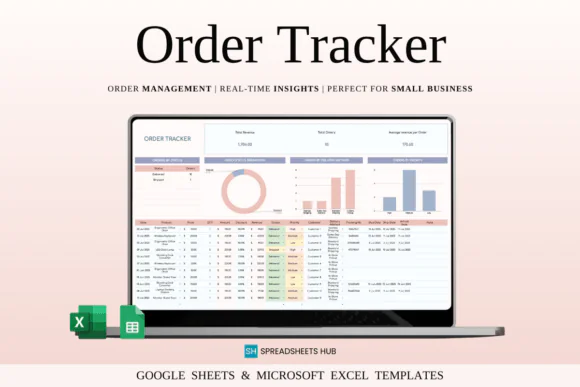
Keep your orders, sales, customer details, revenue, and fulfillment process organized with this Order Tracker Spreadsheet Template for Google Sheets and Microsoft Excel. Designed for small business owners, online sellers, freelancers, product-based businesses, digital product sellers, and fulfillment teams, this spreadsheet helps you manage every order in one clean and easy-to-use system.
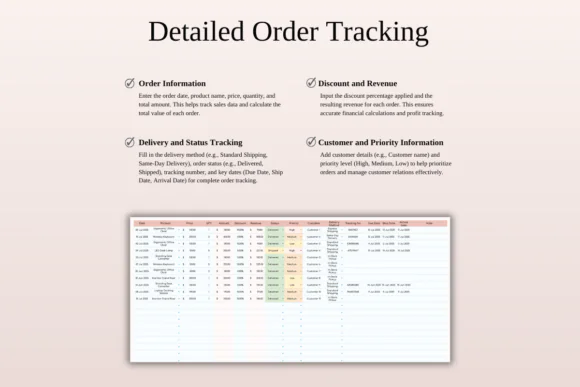
Whether you handle a few orders per week or manage a growing customer base, this template gives you a clear way to track product details, order quantity, pricing, discounts, customer information, delivery methods, order status, priority levels, shipping dates, and overall revenue. Instead of using scattered notes or messy spreadsheets, you can keep everything structured, searchable, and simple to update.
The template includes centralized order tracking, automatic calculations, live performance snapshots, color-coded status fields, order analysis tools, monthly and yearly sales summaries, and customizable settings. It helps you understand your order flow, monitor fulfillment progress, identify pending or urgent orders, and review sales trends over time.
Compatible with both Google Sheets and Microsoft Excel, this order tracker is flexible, editable, and suitable for online or offline use.
What You Can Use This Template For
Use this order tracker spreadsheet to:
Key FeaturesCentralized Order Tracking
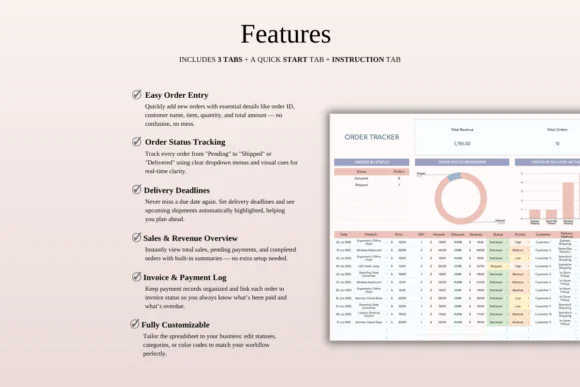
Keep all order information in one place, including product details, quantity, price, customer details, delivery method, order status, priority level, and shipping dates.
Automatic Revenue Calculations
Smart formulas help calculate totals, discounts, and revenue automatically, reducing manual work and helping you avoid calculation errors.
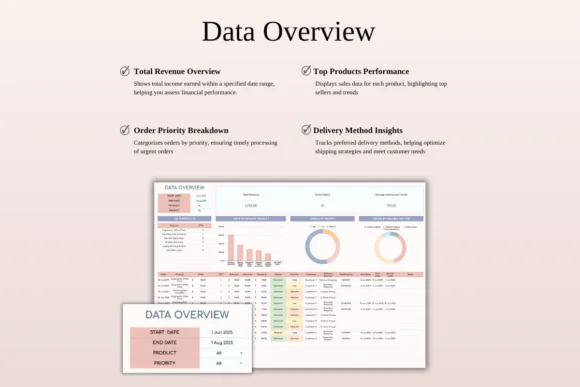
Live Performance Dashboard
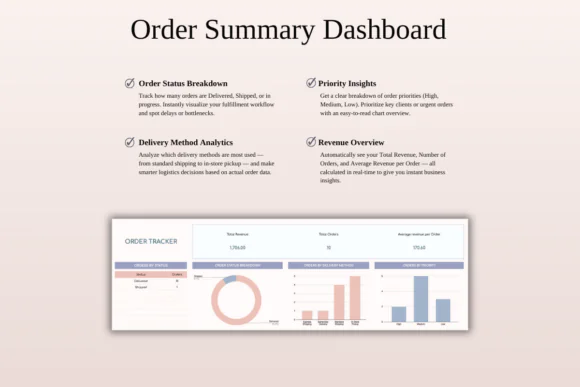
View real-time summaries such as total revenue, average revenue, order count, and overall sales performance through clear dashboard sections.
Color-Coded Status and Priority Fields
Order statuses and priority levels are visually highlighted so you can quickly identify urgent, pending, completed, or delayed orders.
Quick Order Analysis
Filter and review orders by status, priority, delivery method, or other details to spot bottlenecks, trends, and areas that need attention.
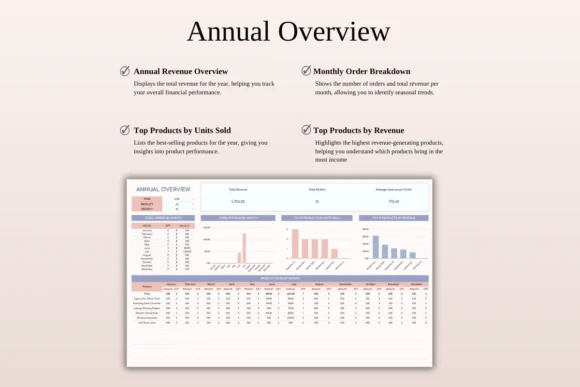
Monthly and Yearly Sales Overview
Track sales and revenue trends over time with auto-updating monthly and yearly summaries. This helps you understand business performance more clearly.
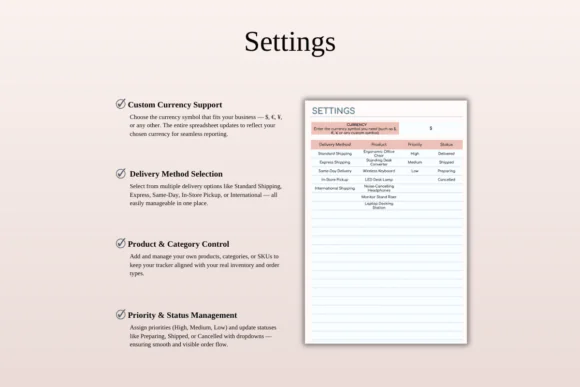
Fully Customizable Settings
Customize currency, delivery types, status options, priority levels, and workflow preferences to match your business needs.
Excel and Google Sheets Compatible
Use the template in Microsoft Excel or Google Sheets across Mac, PC, tablets, and phones. For the best editing experience, desktop or laptop use is recommended.
What’s Included
You will receive:
Perfect For
This order tracker spreadsheet is ideal for:
Why You’ll Love This Order Tracker
This template helps you stay in control of your sales and fulfillment process without needing expensive software or monthly subscriptions. You can track every order from entry to delivery, monitor revenue, manage priorities, and review order performance in one spreadsheet.
The color-coded fields make urgent orders easier to notice, while the dashboard gives you a quick view of sales performance. Whether you sell physical products, digital products, custom work, or services, this template helps you deliver a smoother and more organized customer experience.
How It Works
Important Notes
This is a digital download product. No physical item will be shipped.
You will need access to Google Sheets or Microsoft Excel to use this template. A Google Account is required for Google Sheets, and Microsoft Excel software is required for the Excel version.
For the best editing experience, using a desktop or laptop is recommended.
Due to the nature of digital products, refunds may not be available after purchase.
Colors may appear slightly different depending on your screen, monitor, tablet, or phone display settings.
Published:
Apr 24, 2026 12:05 PM
Category:
Tags: