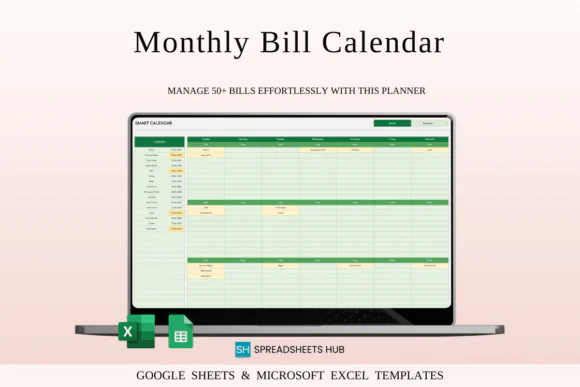
Stay organized and manage your monthly bills with ease using this Monthly Bill Calendar Spreadsheet Template for Excel and Google Sheets. Designed with a clean and calming Green Theme, this practical spreadsheet helps you track bills, due dates, payment status, expenses, and monthly financial obligations in one simple calendar-style layout.
Whether you are managing household bills, personal expenses, subscriptions, rent, mortgage, utilities, insurance, loan payments, or small business costs, this bill calendar gives you a clear system to see what is due, what is paid, and what still needs attention.
The template makes bill tracking simple by allowing you to select any month and year to update the calendar automatically. You can record bill names, amounts, due dates, paid or unpaid status, and view your monthly payment schedule at a glance. With automatic calculations, multi-currency support, customizable colors, and up to 10 years of planning, this spreadsheet is useful for both everyday personal budgeting and small business expense management.
Compatible with both Microsoft Excel and Google Sheets, this template is easy to use, fully editable, and accessible across Mac, PC, phones, and tablets.
What You Can Use This Spreadsheet For
Use this monthly bill calendar spreadsheet to:
Key FeaturesMonthly Bill Calendar View
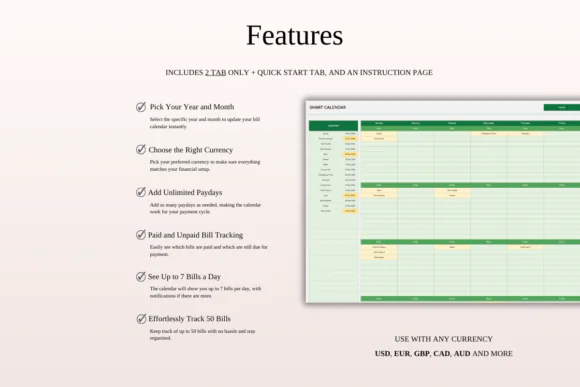
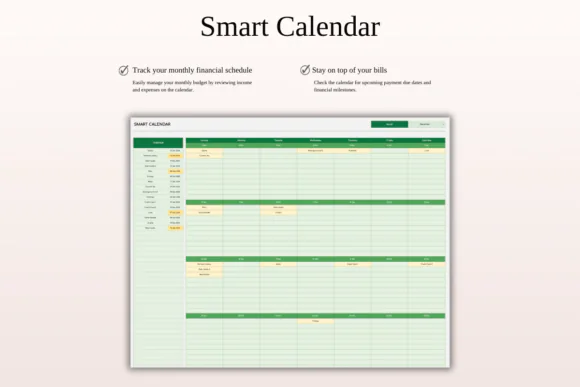
View your bills and due dates in a clear monthly calendar format, making it easy to understand your full payment schedule at a glance.
Month and Year Selection
Quickly update the calendar by selecting any month and year, helping you plan current and future bill payments easily.
Paid and Unpaid Bill Tracking
Track which bills have been paid and which are still pending so you always know what needs attention.
Automatic Calculations
Built-in calculations help summarize bill totals and reduce manual work while keeping your monthly expense planning more accurate.
Multi-Currency Support
Use the template with any currency, making it suitable for international users, freelancers, online businesses, and people managing payments in different currencies.
Customizable Color Options
Personalize the look of the spreadsheet while keeping the clean Green Theme design practical and easy to read.
Supports Up to 50 Bills Per Day
The calendar can display up to 50 bills per day, making it suitable for both simple personal budgeting and more detailed business payment tracking.
10-Year Planning Setup
Plan bills and financial obligations across up to 10 years, making this tracker useful as a long-term budgeting tool.
Excel and Google Sheets Compatible
Use the spreadsheet in Microsoft Excel or Google Sheets. It works across Mac, PC, phones, and tablets, though desktop or laptop use is recommended for full editing capabilities.
What’s Included
You will receive:
Perfect For
This monthly bill calendar spreadsheet is ideal for:
Why You’ll Love This Bill Calendar
This spreadsheet makes bill tracking simple, visual, and stress-free. Instead of trying to remember multiple due dates or using scattered reminders, you can manage every bill, amount, due date, and payment status in one organized calendar.
The Green Theme gives the tracker a clean and calming look, while automatic calculations and paid/unpaid status tracking help you stay practical and efficient. Whether you use it for personal finances or small business expenses, this template helps you stay prepared and avoid missed payments.
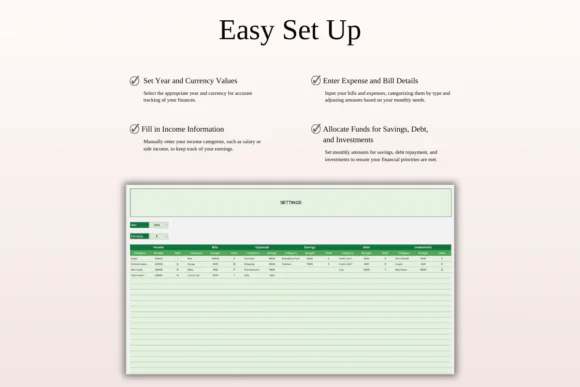
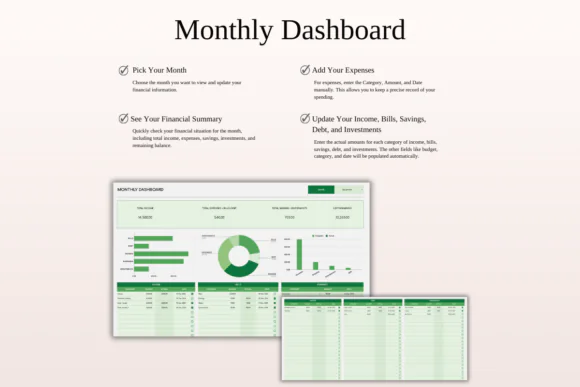
How It Works
Published:
Apr 24, 2026 01:06 PM
Category:
Tags: