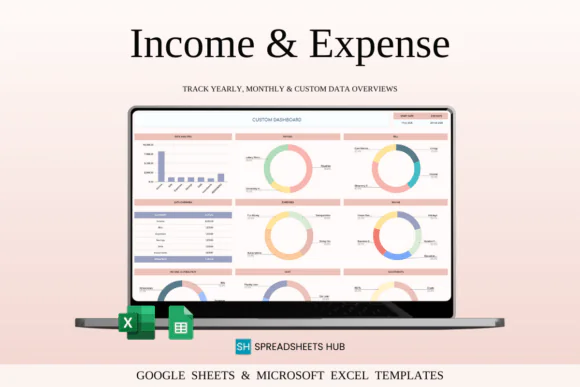
Stay organized and take control of your money with this Income and Expense Tracker Spreadsheet for Google Sheets and Microsoft Excel. This practical finance tracking template is designed to help you record income, monitor expenses, manage savings, track bills, follow debt repayment, and view investments in one clear and easy-to-use spreadsheet.
Whether you are managing personal finances, household spending, freelance income, side hustle earnings, or small business expenses, this tracker gives you a simple system to understand where your money comes from and where it goes. It helps you build better financial awareness, reduce unnecessary spending, stay within your budget, and make smarter money decisions.
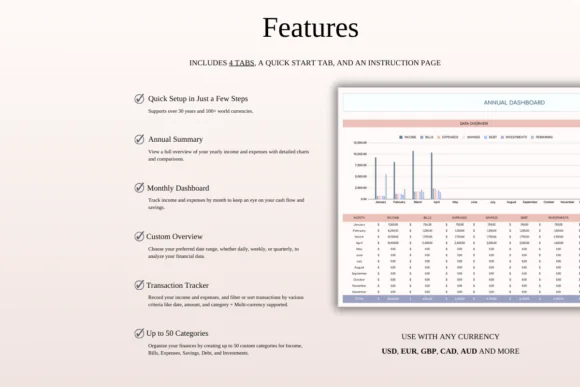
The template includes customizable categories, income and expense tracking, monthly budget overview, annual financial summary, custom date range analysis, savings tracker, investment tracker, debt tracker, transaction notes, and multi-currency support. With everything organized in one place, you can review your financial health more clearly and plan ahead with confidence.
Compatible with both Google Sheets and Microsoft Excel, this spreadsheet is flexible, editable, and useful for beginners as well as experienced budget planners.
What You Can Use This Tracker For
Use this income and expense tracker spreadsheet to:
Key FeaturesIncome and Expense Tracking
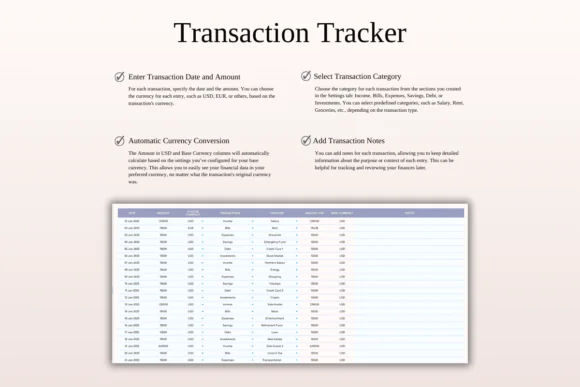
Record salary, freelance income, business income, side hustle earnings, daily spending, bills, and other financial transactions in one organized spreadsheet.
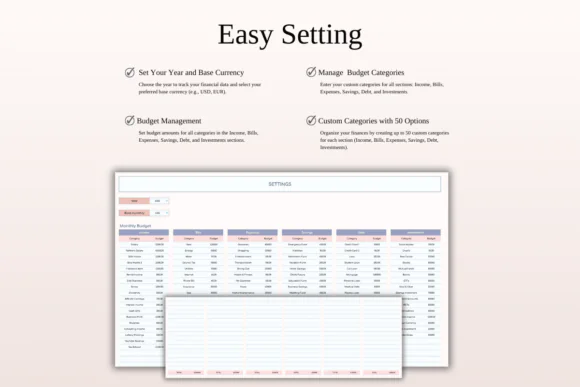
Customizable Categories
Create and manage up to 50 categories for income, expenses, bills, savings, debts, and investments. This makes the tracker flexible for both personal and business use.
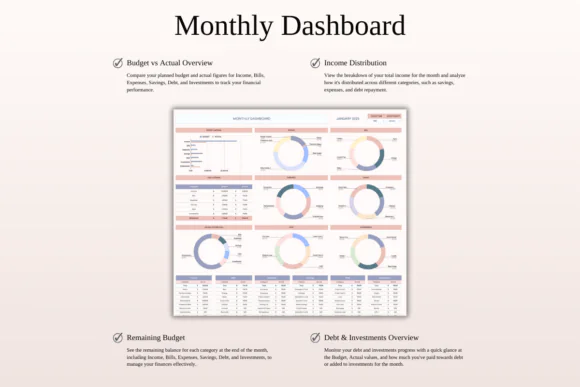
Monthly Budget Overview
Set monthly budget goals for each category and compare your planned amount with actual income or expenses. This helps you stay within budget and understand your spending habits.
Annual Financial Summary
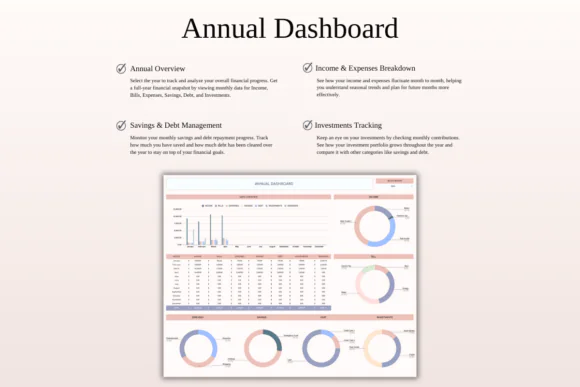
View your yearly financial performance with a month-by-month summary of income, expenses, savings, debts, investments, and overall progress.
Custom Date Range Tracking
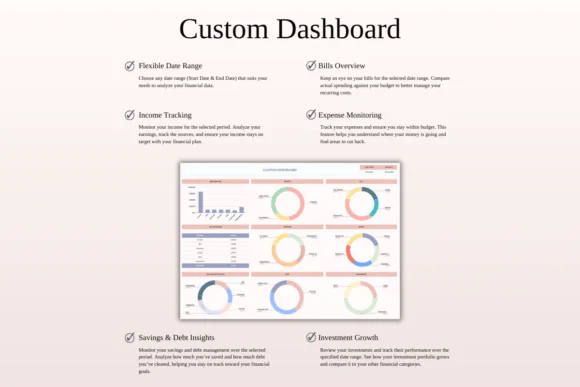
Analyze your finances for a specific week, month, quarter, or year using custom date ranges. This is useful for reviewing spending patterns or business performance.
Expense Breakdown
See a detailed breakdown of income, bills, savings, expenses, and other categories so you can understand your cash flow more clearly.
Savings and Investment Tracker
Monitor savings goals, investment contributions, emergency funds, retirement savings, and other long-term financial objectives.
Debt Tracking
Track credit cards, loans, liabilities, and repayment progress so you can plan debt reduction more effectively.
Transaction Notes
Add notes to each transaction to remember important details, receipts, business purposes, or personal spending reasons.
Multi-Currency Support
Manage transactions in different currencies with automatic conversion into your preferred base currency, making it helpful for international users, freelancers, and businesses.
Excel and Google Sheets Compatible
Use the template in Microsoft Excel or Google Sheets. It works on Mac, PC, tablets, and phones, though desktop or laptop use is recommended for full editing capabilities.
What’s Included
You will receive:
Perfect For
This income and expense tracker spreadsheet is ideal for:
Why You’ll Love This Tracker
This spreadsheet helps you see your complete financial picture in one place. Instead of guessing where your money went, you can track income, expenses, savings, investments, bills, and debts with clarity.
It is simple enough for everyday personal budgeting and flexible enough for freelancers or small business owners who need more detailed records. With custom categories, monthly and annual summaries, transaction notes, and multi-currency support, this tracker helps you stay organized and make better financial decisions.
How It Works
Important Notes
This is a digital download product. No physical item will be shipped.
You will need access to Google Sheets or Microsoft Excel to use this template. A Google Account is required for Google Sheets, and Microsoft Excel software is required for the Excel version.
For the best experience, use a desktop or laptop for full editing capabilities.
Due to the nature of digital products, refunds may not be available after purchase.
Colors may appear slightly different depending on your screen, monitor, tablet, or phone display settings.
Published:
Apr 24, 2026 11:59 AM
Category:
Tags: