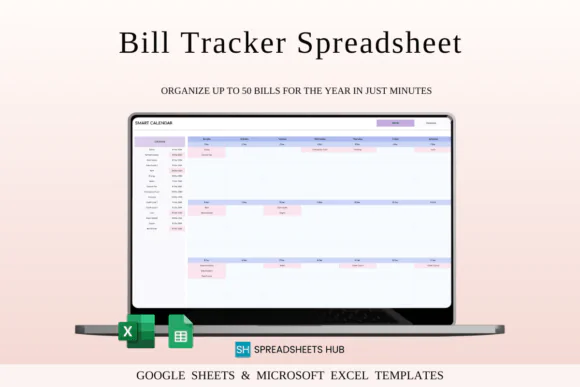
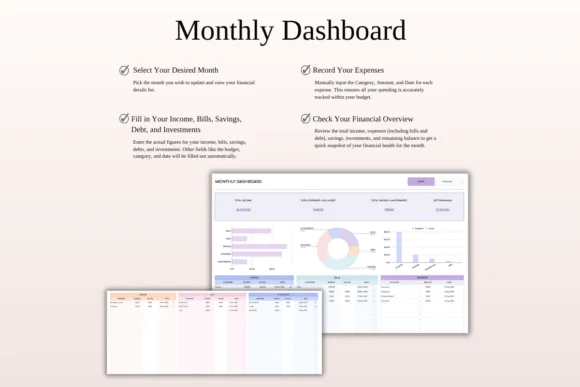
Stay organized and never lose track of your monthly payments with this Bill Tracker Spreadsheet for Excel and Google Sheets. Designed with a bright Rainbow Theme, this simple and practical spreadsheet helps you manage bills, due dates, payment status, monthly expenses, and financial obligations in one clear and easy-to-use place.
Whether you are managing personal bills, household expenses, subscriptions, small business payments, utilities, rent, loans, insurance, or recurring monthly costs, this bill tracker gives you a structured system to stay prepared. You can easily see which bills are paid, which are unpaid, and what payments are coming up during the selected month.
The template includes automatic calculations, customizable settings, multi-currency support, a dynamic bill calendar, paid and unpaid bill tracking, and a long-term setup that can support planning across multiple years. It is beginner-friendly and works in both Microsoft Excel and Google Sheets, making it suitable for home budgeting, small business expense tracking, and everyday money management.
What You Can Use This Spreadsheet For
Use this bill tracker spreadsheet to:
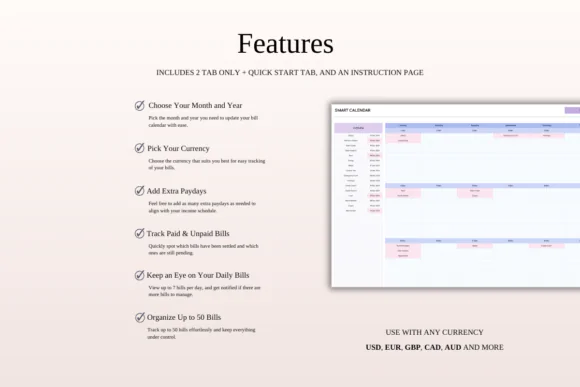
Key FeaturesMonthly Bill Payment Tracker
Record all your bills and payments in one organized spreadsheet so you can easily see what is due, what is paid, and what is still pending.
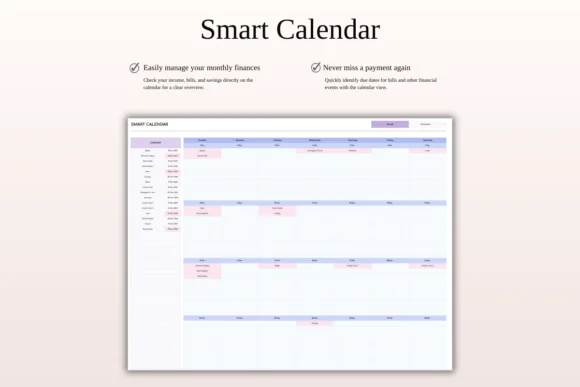
Dynamic Bill Calendar
Select a month and year to update the calendar view. This helps you see your payment schedule clearly and plan ahead.
Paid and Unpaid Bill Status
Quickly identify which bills have already been paid and which payments still need attention.
Automatic Calculations
The spreadsheet includes built-in calculations to help summarize bill amounts and reduce manual work.
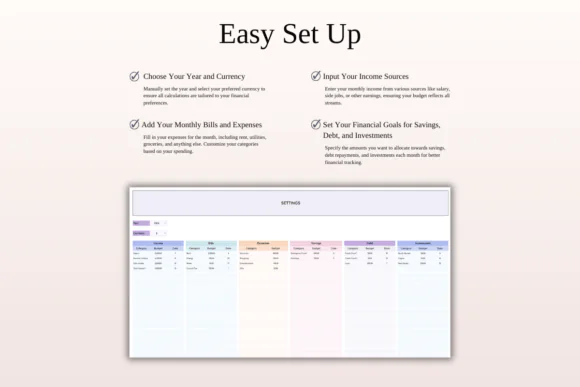
Multi-Currency Support
Track bills in different currencies, making the template useful for international users, freelancers, online businesses, and people handling payments across currencies.
Customizable Settings
Edit categories, currencies, bill details, payment types, and settings to match your personal or business needs.
Up to 50 Bills Per Day
The calendar can display up to 50 bills per day, making it useful for both simple personal budgets and larger payment tracking needs.
10-Year Budget Planner Setup
Plan and track bills across a long-term period with a spreadsheet structure designed for extended use.
Excel and Google Sheets Compatible
Use the template in Microsoft Excel or Google Sheets. It works across Mac, PC, phones, and tablets, though desktop or laptop use is recommended for full editing capabilities.
What’s Included
You will receive:
Perfect For
This bill tracker spreadsheet is ideal for:
Why You’ll Love This Bill Tracker
This spreadsheet makes bill management simple, visual, and stress-free. Instead of trying to remember due dates or searching through separate notes, you can keep all bills, amounts, due dates, and payment statuses in one place.
The calendar view helps you plan your month clearly, while paid and unpaid tracking makes it easy to know what still needs attention. With multi-currency support, automatic calculations, and customizable settings, this template gives you a practical way to stay in control of monthly payments.
How It Works
Published:
Apr 24, 2026 12:50 PM
Category:
Tags: